English

Pinterest Idea Pin Downloader

Download every video and image page of a Pinterest Idea Pin (Story Pin).

HD · 1080p · 4KMP4 · JPG · GIFAndroid · iPhone · PC

Why use SavePinNow?

Original quality

We fetch the highest-resolution file Pinterest has: Full HD 1080p video when available, and original-size images with no compression.

Works on every device

Android, iPhone, iPad, Windows, Mac and Linux. Everything runs in your browser, so there is no app or extension to install.

Free and no sign-up

There are no accounts, no daily limits and no watermarks. Paste a link and download as many Pins as you like.

How to download from Pinterest in 3 steps

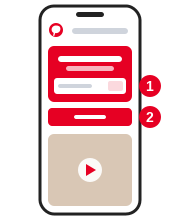
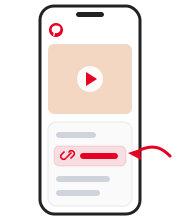
Copy the Pin link

Copy the Pin link

Open the Pin in the Pinterest app or website, tap the Share (or ⋯) button and choose Copy link.

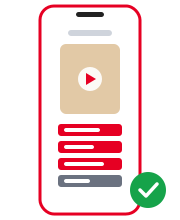
Paste the link

Paste the link

Come back to SavePinNow, paste the link into the box at the top of the page and press Download.

Save the file

Save the file

Choose the quality you want (720p, 1080p or higher when available) and the file is saved to your device.

Save Idea Pins and Story Pins page by page

Idea Pins, also called Story Pins, can contain several pages that mix videos and photos. SavePinNow reads all of them and lists each page separately, so you can keep the full tutorial or recipe and not only the cover.

Video pages are offered in the highest quality available, often Full HD 1080p, and image pages are saved in their original size.

Ideal for

  1. Step-by-step recipes and DIY tutorials
  2. Workout and yoga routines
  3. Makeup, hair and fashion guides
  4. Travel stories and itineraries

Everything you need in one Pinterest downloader

Fast downloads

Links are prepared in a couple of seconds and files come straight from Pinterest's fast CDN.

Any browser

Chrome, Safari, Firefox, Edge, Opera, Samsung Internet. If it can open a web page, it works.

No account needed

You never enter a Pinterest password. We only read the public link you paste.

Mobile and desktop

A light page that loads quickly on phones and works just as well on large screens.

Preview before saving

See the thumbnail and every available file before you download anything.

100% free

SavePinNow is free to use and supported by a small number of ads.

What works and what does not

✓ Works

  • Public Pins from pinterest.com and every country domain
  • Short links that start with pin.it
  • Videos, images, GIFs, Idea Pins (story Pins) and carousels
  • HD 720p, Full HD 1080p, and 2K or 4K when Pinterest stores them

✕ Does not work

  • Private, secret or deleted Pins via the normal box (use the Private Downloader)
  • Content behind a login you do not have access to
  • Creating a resolution that the original file does not have
  • Bypassing copyright or access controls
A note on quality: SavePinNow downloads exactly what Pinterest provides. Most videos are available in 720p, many in 1080p, and a few in 2K or 4K. We show only the resolutions that really exist for each Pin and we never upscale or re-encode files.

Pinterest downloader for mobile and desktop

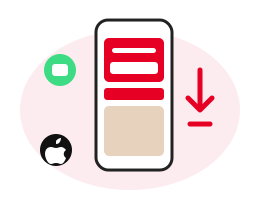
Android, iPhone and iPad

Open SavePinNow in Chrome, Safari or any mobile browser, paste the Pin link and tap Download. On Android files go to the Downloads folder or Gallery. On iPhone and iPad they go to the Files app under Downloads, and from there you can save videos and photos to your Photos library.

Android, iPhone and iPad
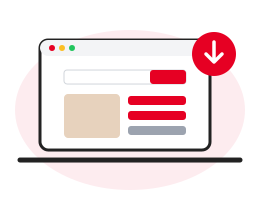
Windows PC, Mac and Linux

Windows PC, Mac and Linux

Copy the link from your browser's address bar, paste it here and click Download. Files are saved to your Downloads folder. Press Ctrl + J (Windows) or Cmd + Shift + J (Mac) to see your recent downloads.

Is SavePinNow safe to use?

  • Yes. SavePinNow never asks for your Pinterest login and cannot access your account, boards or messages.
  • We do not store the videos or images you download. Files are streamed from Pinterest's servers directly to you.
  • The site uses HTTPS, has no pop-up installers and never asks you to download software.
  • Please respect creators: content on Pinterest is not automatically free to reuse. Save Pins for personal use and ask the owner before republishing.

Frequently Asked Questions

What is a Pinterest Idea Pin?

An Idea Pin (formerly Story Pin) is a multi-page Pin that can include videos, images, text and lists.

Can I download all pages of an Idea Pin at once?

All pages are listed together; tap Download on each page you want to keep.

Are Idea Pin videos available in HD?

Usually yes. Many Idea Pin videos are stored in 1080p, and we always list the best available version.

Is SavePinNow free?

Yes, it is completely free with no limits and no registration.

Do I need to install an app or extension?

No. SavePinNow works in any web browser on phones, tablets and computers.

Where are downloaded files saved?

In your browser's default download location, usually the Downloads folder. On iPhone check Files > Downloads.

Does SavePinNow keep a copy of my downloads?

No. We do not host or store Pinterest media. Files come directly from Pinterest's CDN.
More free Pinterest tools

Rate this tool

Tap a star to tell us how SavePinNow worked for you.

No ratings yet. Be the first to rate!